Network Experience
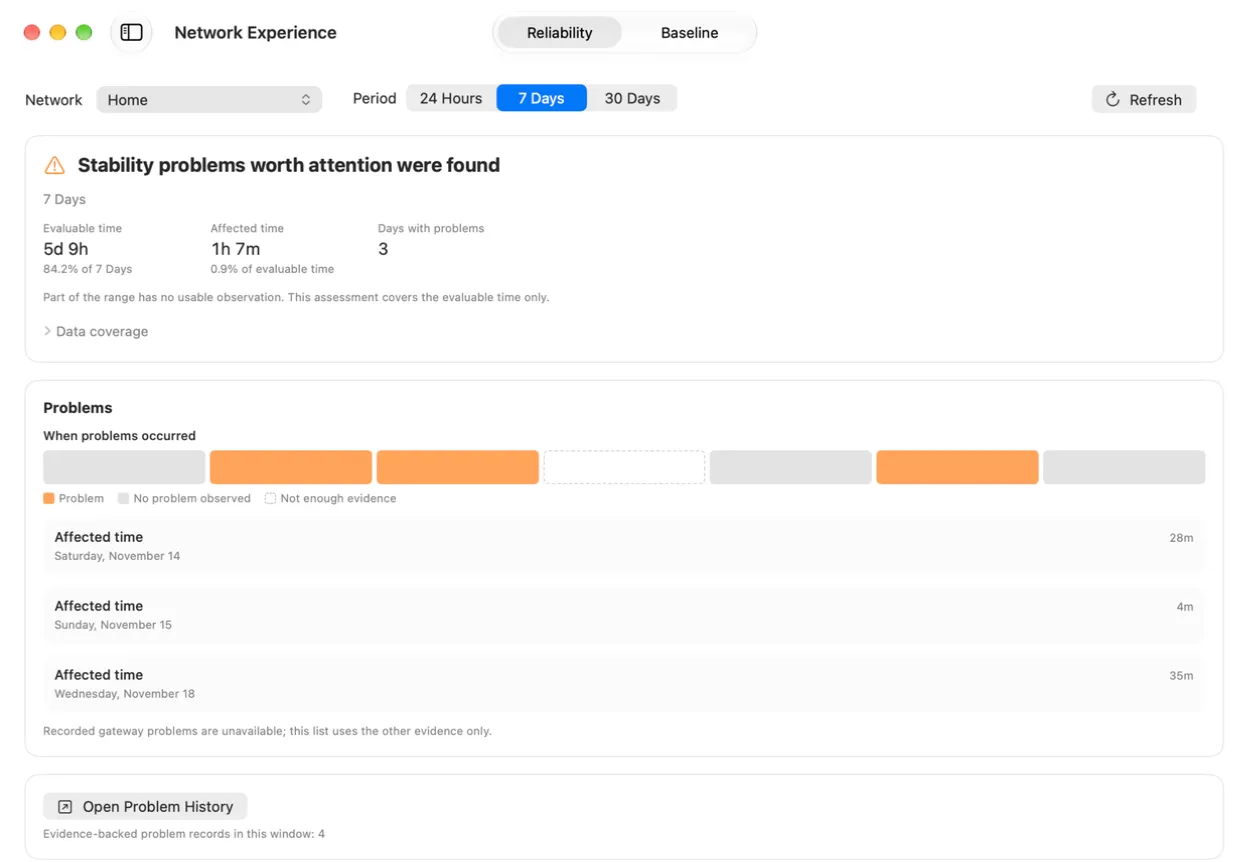
Review connection and gateway reliability over 24 hours, 7 days, or 30 days. See recorded problem periods and how much of the period WiFi Lens observed.
A native macOS app for live Wi-Fi analysis and local network diagnostics.
macOS 14.6+ · Native · Local-first
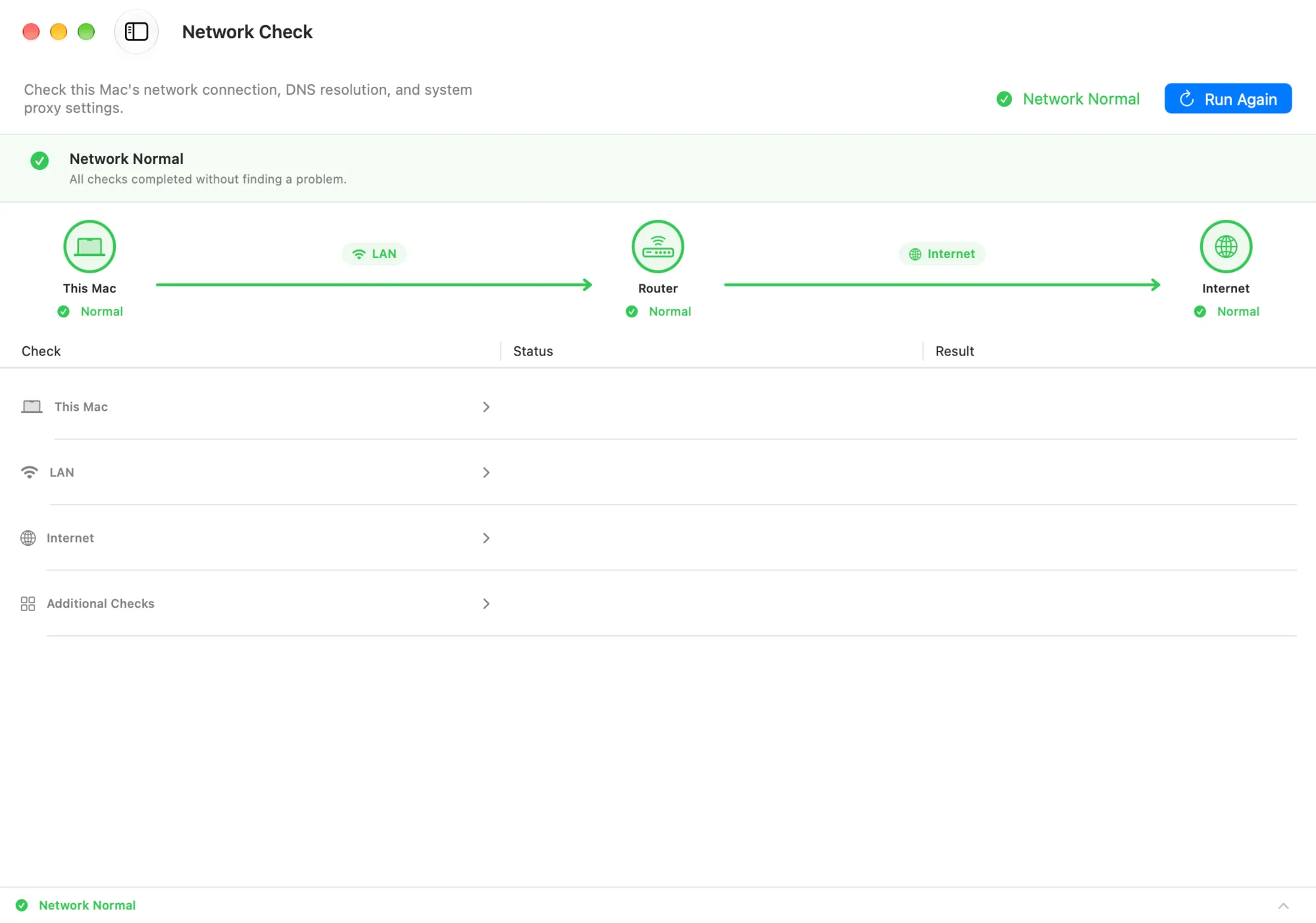
Run local network checks across your Mac, local network (LAN), and the internet. WiFi Lens shows what works, what doesn't, and where to look next.
Checks are the process. Conclusions are the product.
Open a recorded problem to see when it occurred, what evidence was captured, and what to check next.
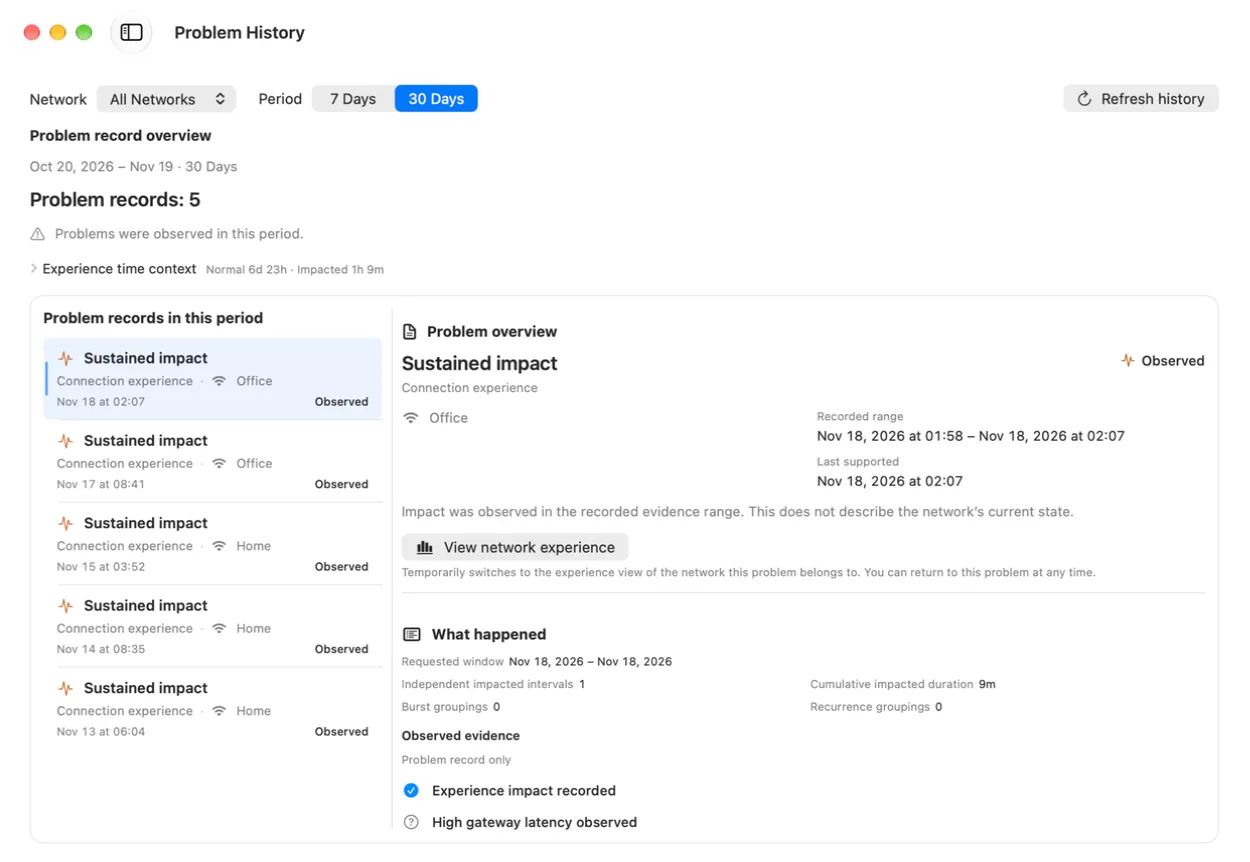
Keep the evidence when the problem returns.
Get WiFi Lens ProReview connection and gateway reliability over 24 hours, 7 days, or 30 days. See recorded problem periods and how much of the period WiFi Lens observed.
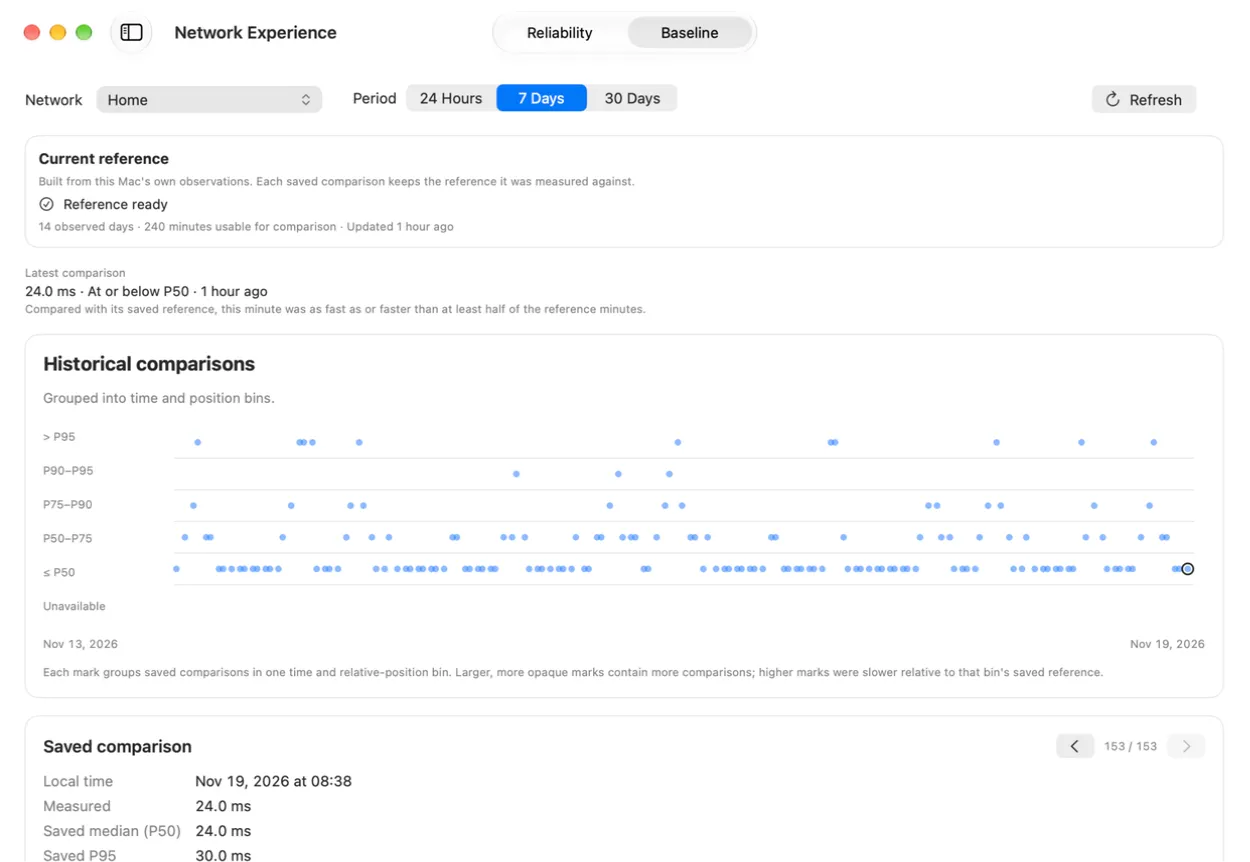
Compare current measurements with earlier readings from this network to see whether performance has changed.
When a connection problem needs a closer look, compare nearby channels and review changes as your Mac moves between access points.
Compare nearby networks by channel, band, and signal strength.
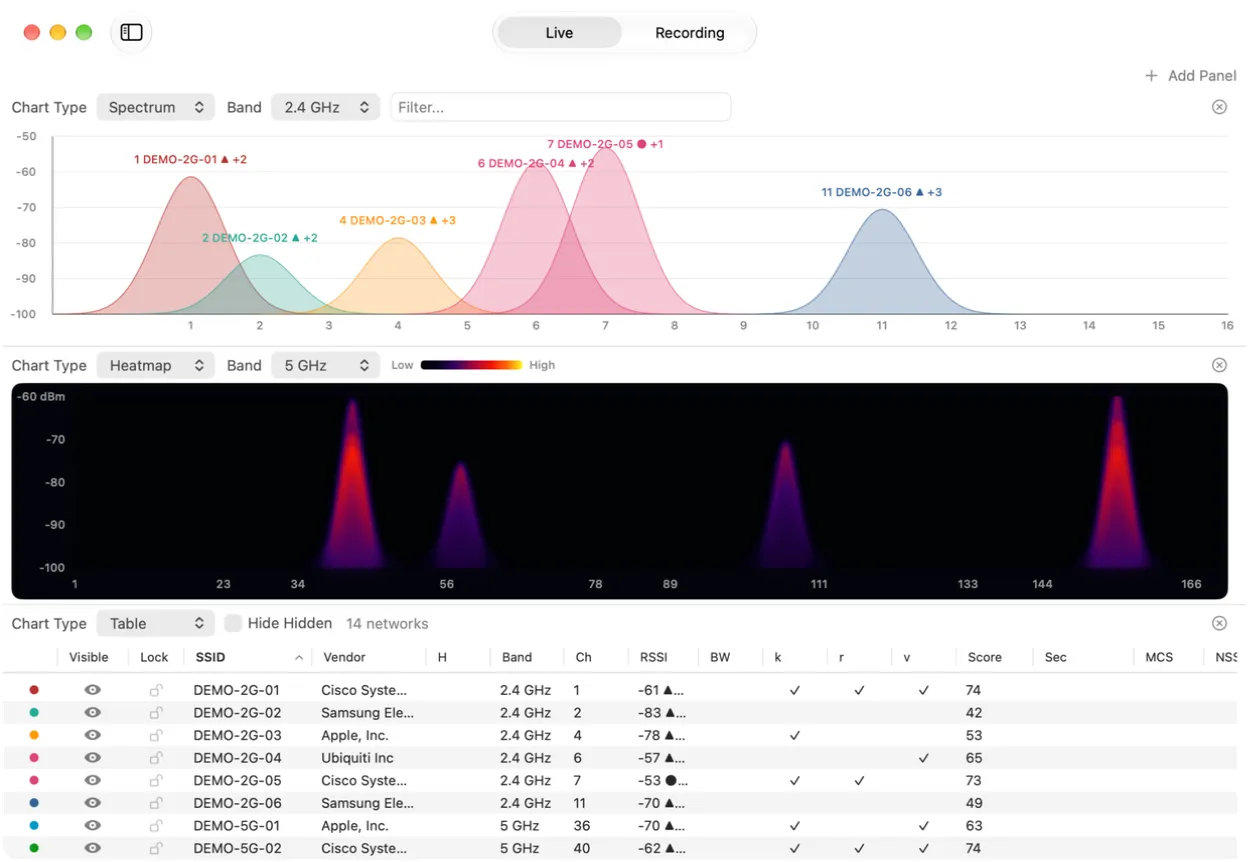
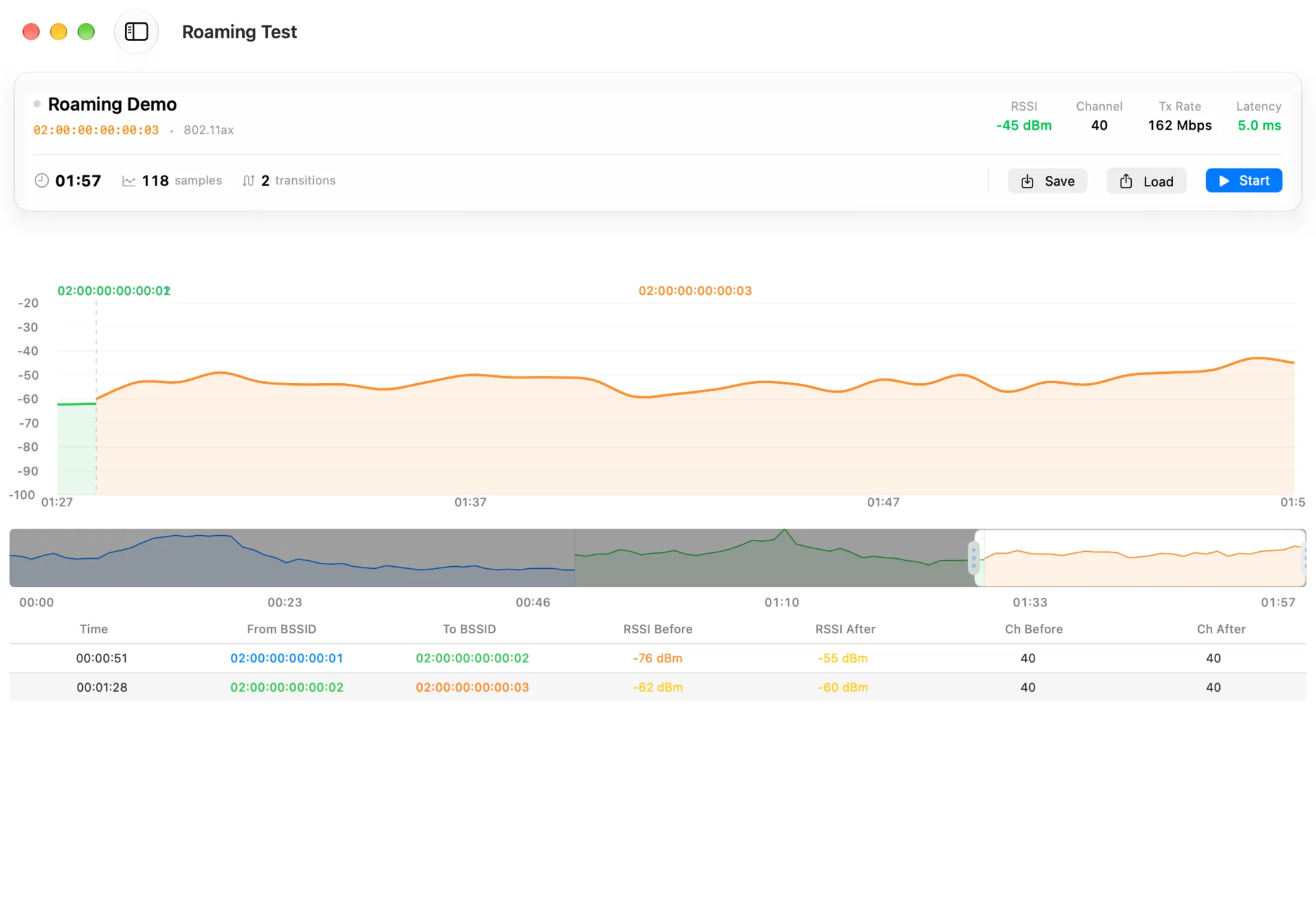
Review signal changes and roaming tests as your Mac moves between access points.
WiFi Lens processes network information locally on your Mac. Your diagnostics and observation history don't need an account or cloud service.
If you connect an AI client through MCP (Model Context Protocol), that third-party service handles information according to its own privacy policy.
It assesses observed reliability for one selected logical network and time range. It shows the assessment, supported problems and their timing, and how complete the available evidence is. It does not monitor your router, ISP, or entire local network.
Historical Baseline is a view within Network Experience. It compares saved gateway-latency measurements with a compatible historical reference for the same network. A result within that reference is not a general network-health verdict.
Problem History lets you review saved findings, their supporting evidence, diagnostic suggestions, and later observations within a stated time range. Suggestions may open an existing check or show recorded evidence; they do not run checks automatically.
No. It presents recorded findings and evidence-supported suggestions. It does not promise to identify every cause or automatically repair network problems.
No. Network Experience describes observations recorded by WiFi Lens on this Mac for a selected network. It does not monitor a router, ISP, or all devices on your local network.
WiFi Lens Pro adds menu bar monitoring, optional Continuous Observation, and tools to investigate your connection history.
Get WiFi Lens ProView the open-source edition