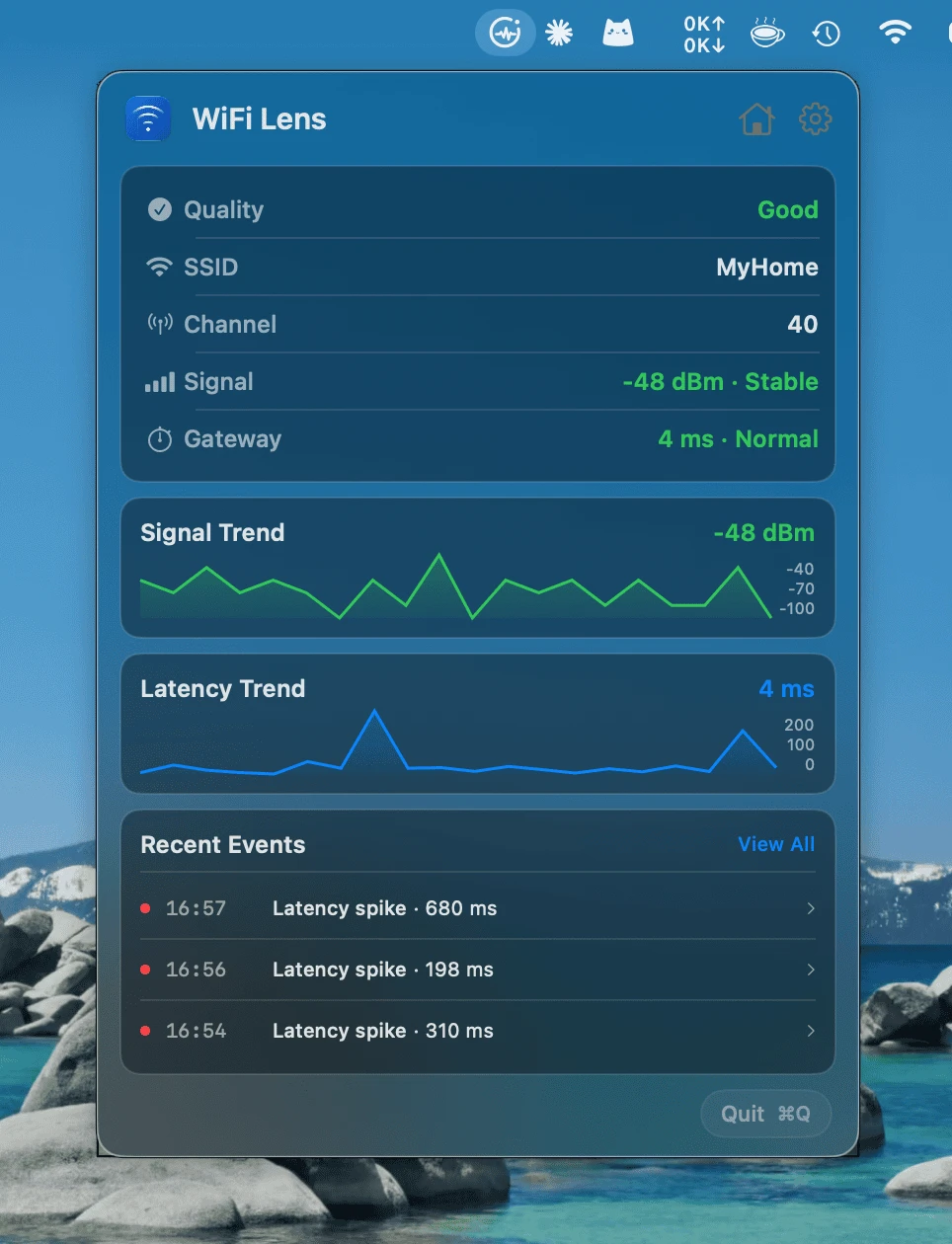
WiFi Lens Pro

See how your network performed over time.

Choose a network and time range to review observed reliability, compare gateway latency with a saved reference, and inspect recorded problems with their evidence.

Network Experience

Assess observed reliability for one logical network over 24 hours, 7 days, or 30 days. See supported impact, when problems occurred, whether they recurred, and how much of the period was observed.

  • Reliability verdict with time and recurrence context
  • Coverage, gaps, and supporting evidence
  • Historical Baseline is a view within Network Experience

The assessment uses Wi-Fi observations recorded by this Mac for the selected network.
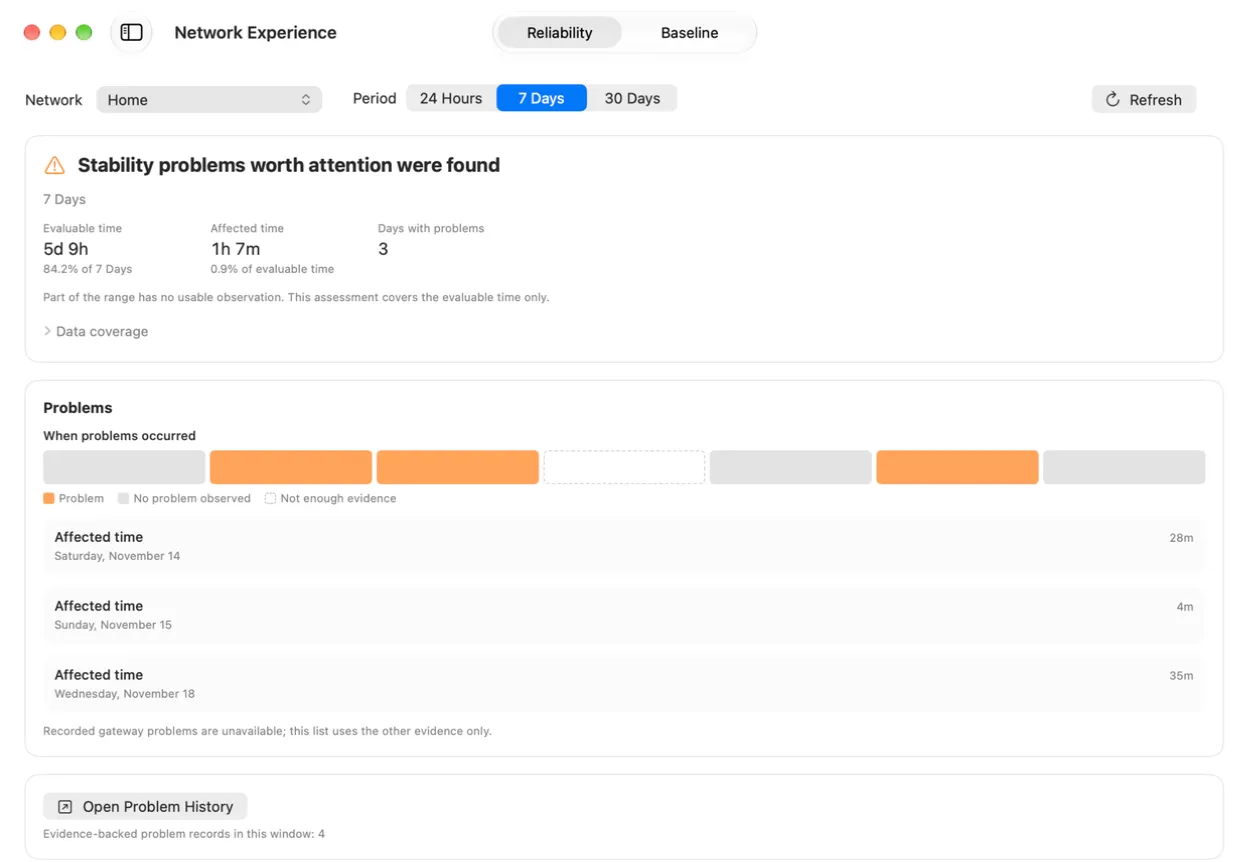
WiFi Lens Pro Network Experience reliability view

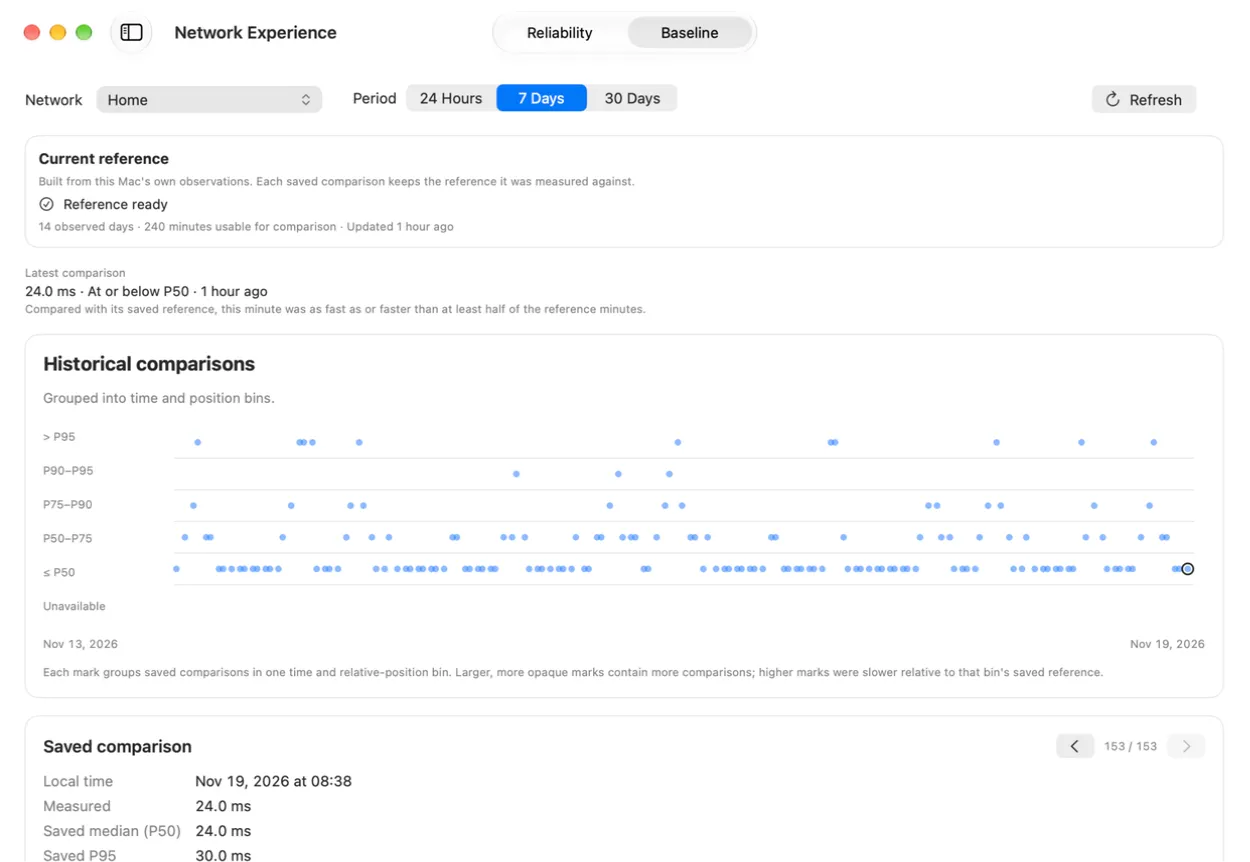
Historical Baseline

Compare saved gateway-latency measurements with a compatible historical reference for the same network. Each comparison keeps its original measured value and reference.

  • See reference readiness and available history
  • Review measured values and supported deviations
  • Unavailable or incomplete comparisons stay explicit

The reference compares gateway latency measurements saved for the same network.

WiFi Lens Pro Historical Baseline view with a saved gateway latency comparison and its reference status

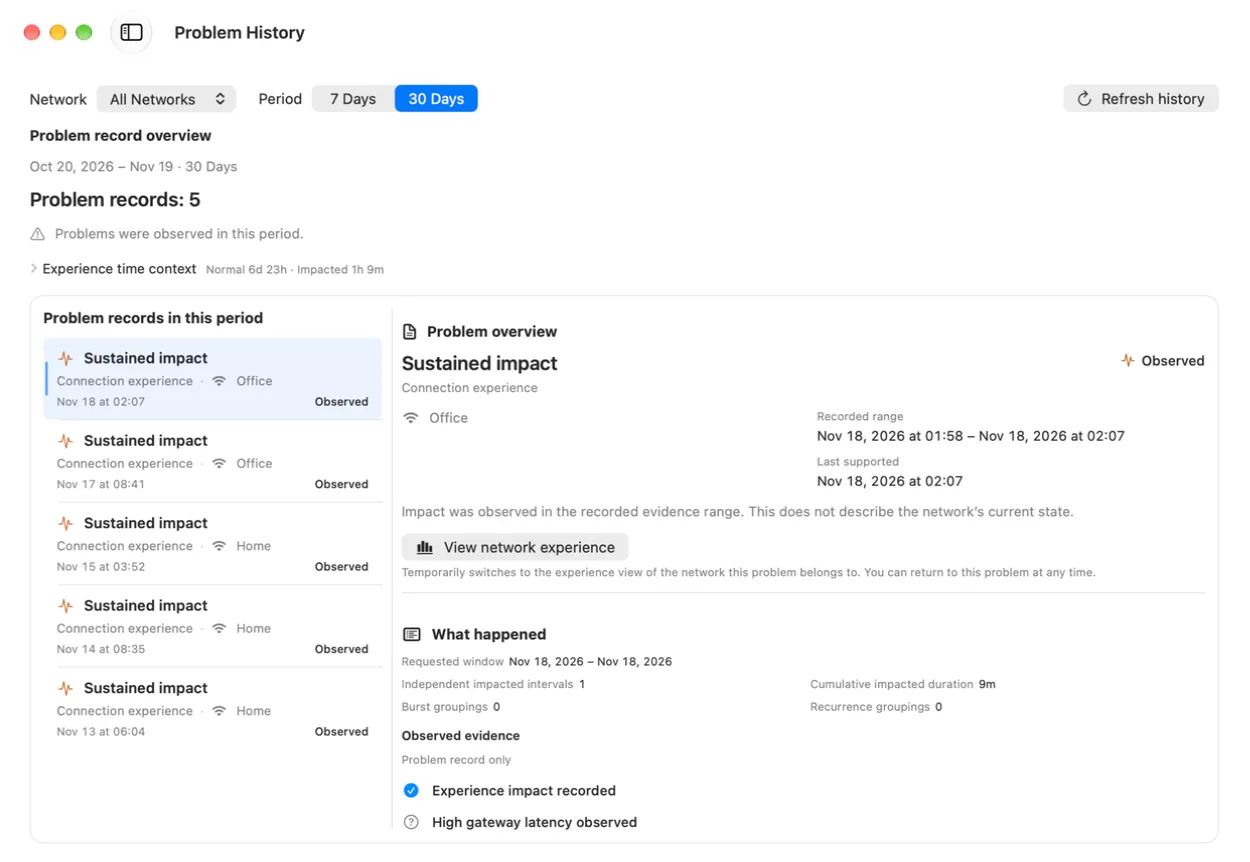
Problem History

Review saved findings, the evidence attached to each one, bounded diagnostic suggestions, and what was observed in a later time window.

  • Inspect a recorded problem and its supporting evidence
  • Open an existing check or reveal recorded evidence
  • Review follow-up with its time range and coverage

Suggestions open an available check or recorded evidence; follow-up shows observations from a later time range.

WiFi Lens Pro Problem History view
Features

Live checks and recorded history.

Check the connection now, then explore the history Pro has recorded over time.

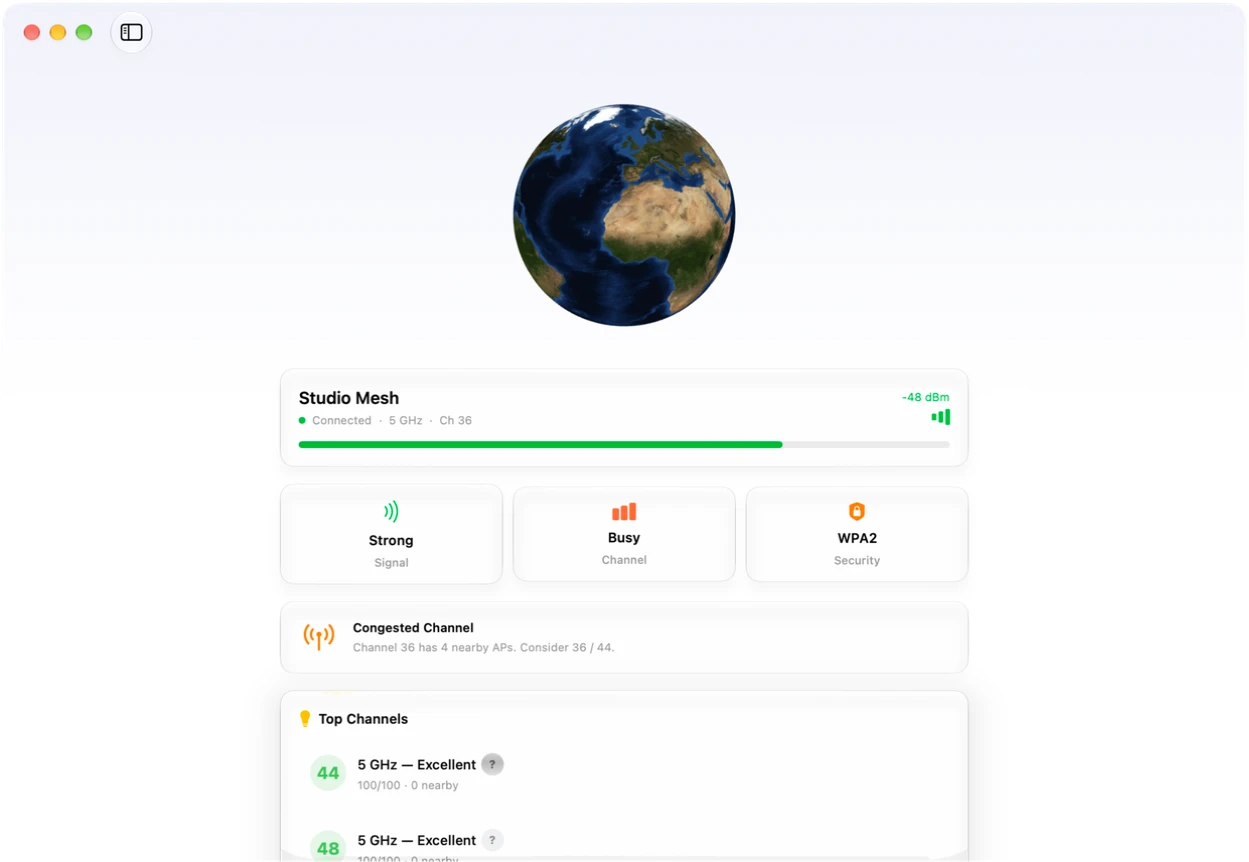
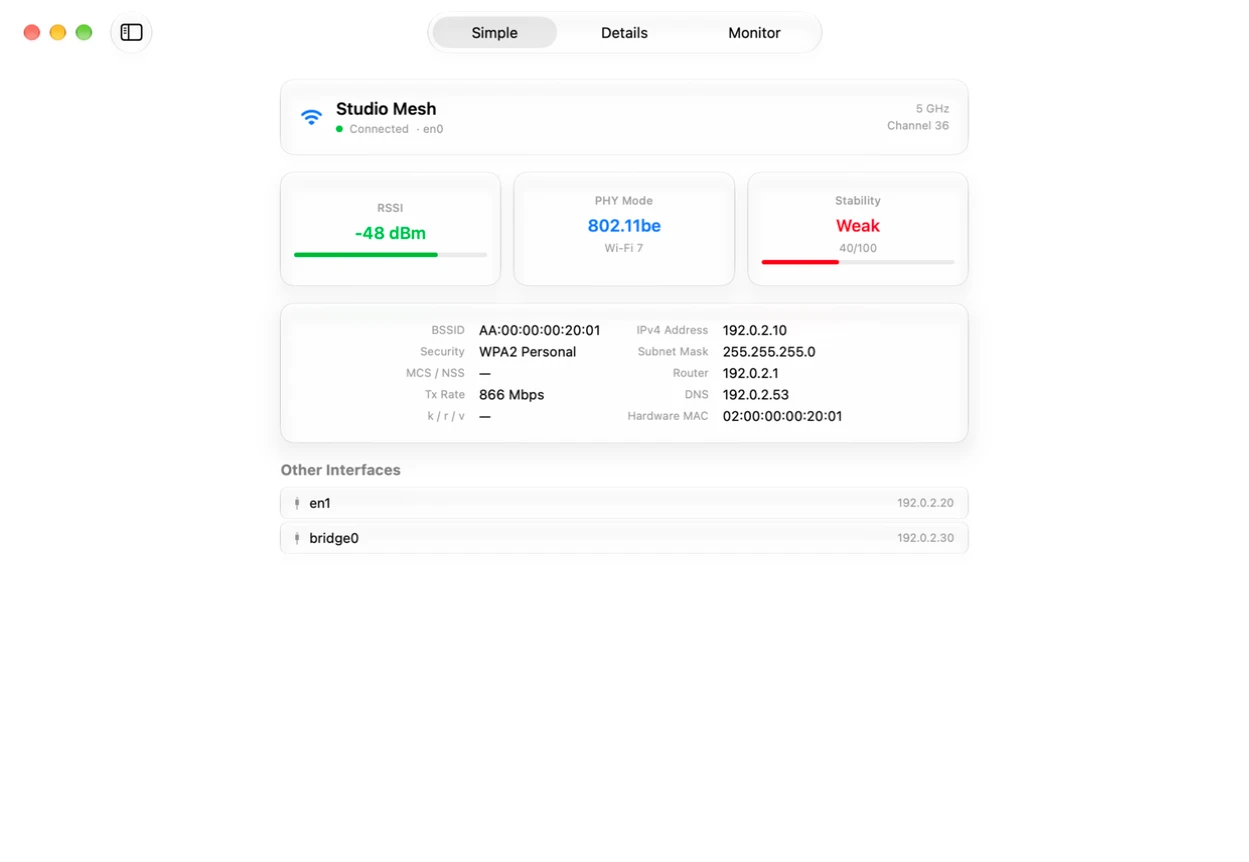
Overview dashboard showing current Wi-Fi health, signal strength, and channel recommendations

Overview dashboard

Check your current connection health first. The overview shows signal strength, channel quality, security, and the most useful next step.

  • Current connection health at a glance
  • Actionable channel suggestions
  • See which band is busiest

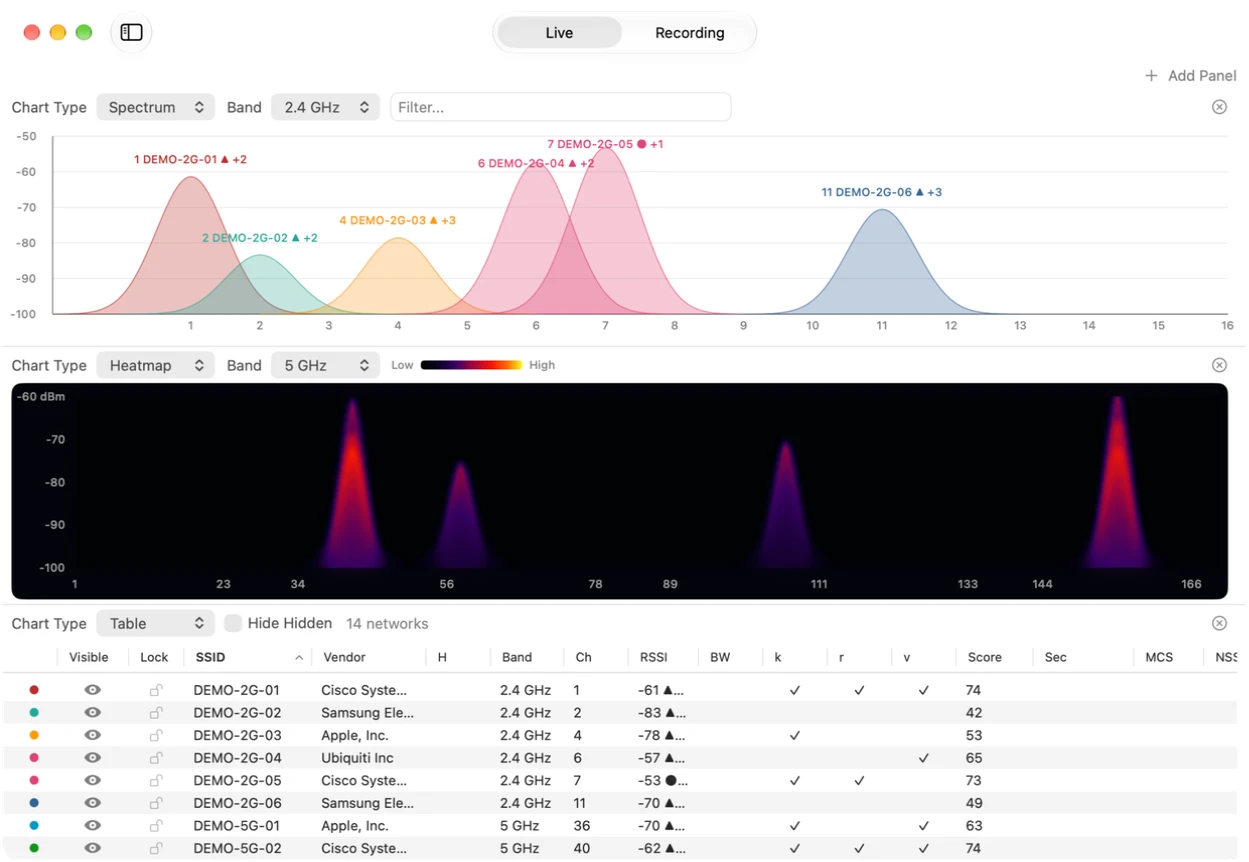
Wi-Fi network and channel view

View nearby Wi-Fi networks and their estimated channel occupancy on supported bands. Mac hardware and macOS determine which bands and details are available; this is not raw RF spectrum measurement.

  • Visualize visible Wi-Fi networks and channels
  • Compare estimated channel occupancy
  • Zoom, pause, and inspect available details
Nearby Wi-Fi networks and estimated channel occupancy shown in WiFi Lens
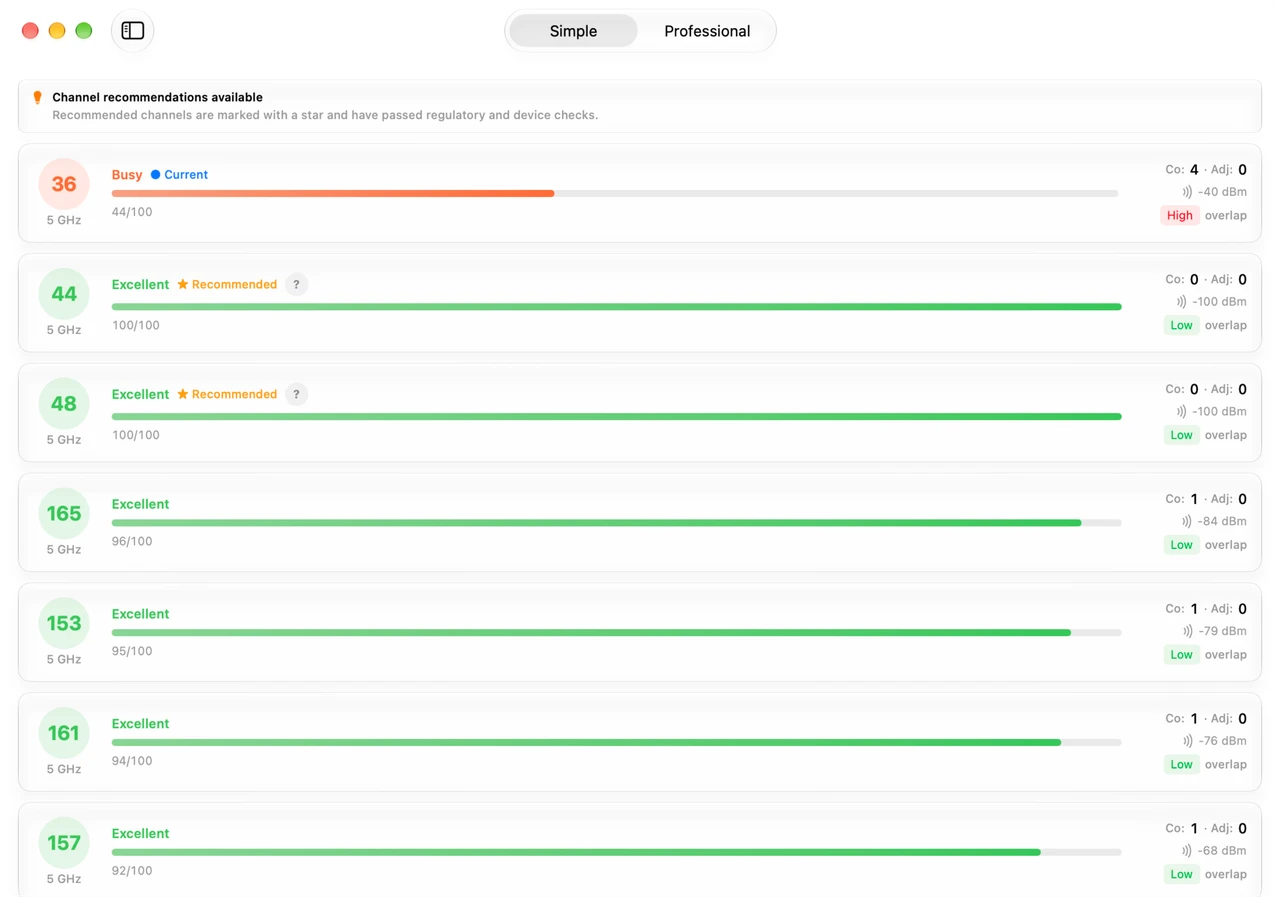
Channel quality analyzer with region-aware scoring, DFS detection, and device compatibility filtering

Channel quality analyzer

Compare channel scores before changing your router settings. WiFi Lens suggests cleaner options based on your region and device compatibility.

  • Per-channel quality scores
  • Region-aware suggestions
  • Find the cleanest channels

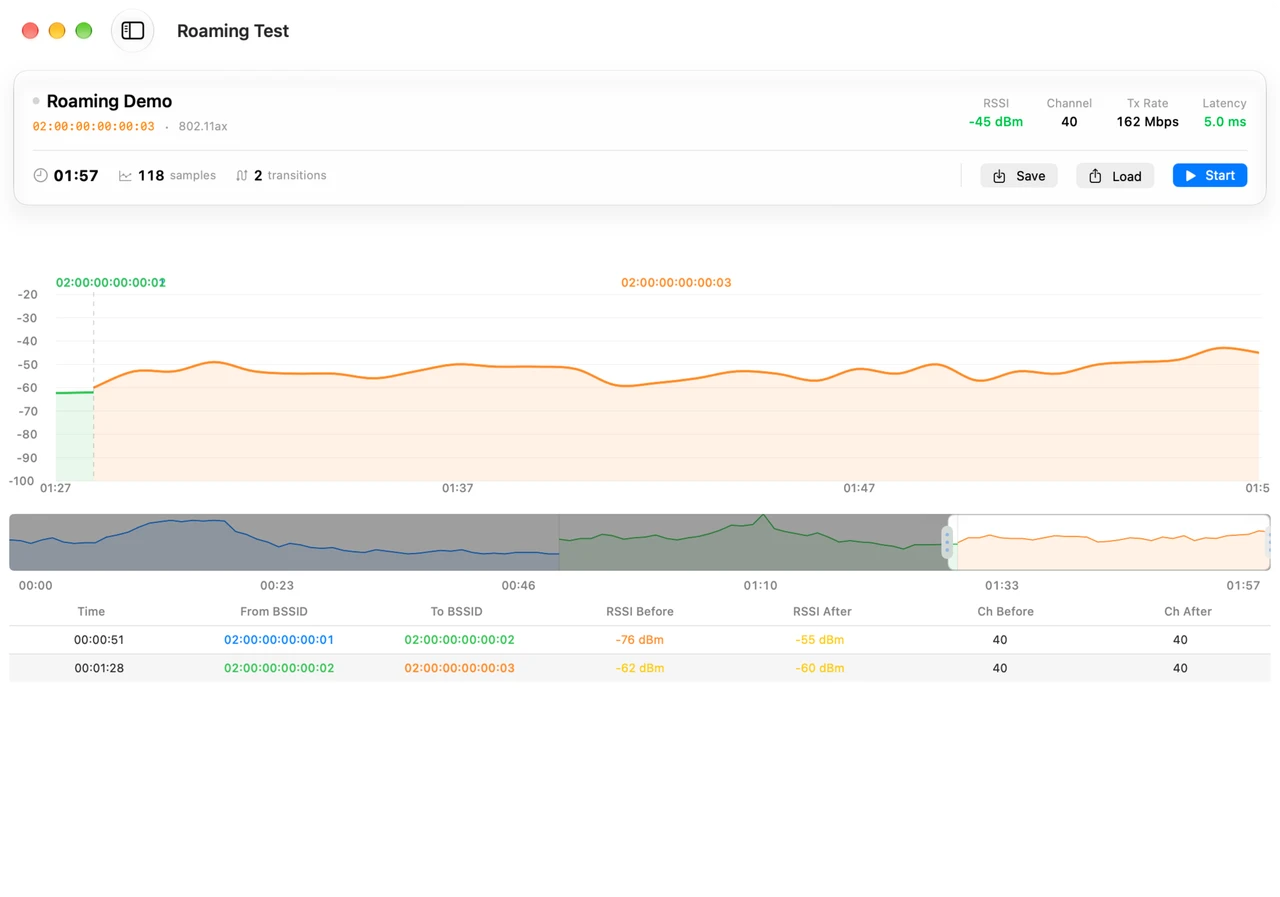
Roaming test on this Mac

Move the Mac running WiFi Lens between access points and observe when that Mac switches networks and how its signal changes.

  • See when this Mac switches to another access point
  • Watch this Mac’s signal change as you move
  • Review results from this Mac’s roaming test
Roaming test showing access point transitions and signal changes for the Mac running WiFi Lens
Network interfaces view showing connection details and live throughput monitoring

Network interfaces

See all your network interfaces in one place — Wi‑Fi, wired, VPN, and more. Check detailed link info and monitor real-time throughput.

  • Switch between quick status and deep detail
  • Watch live throughput over time
  • Wi‑Fi, Ethernet, VPN, and virtual links

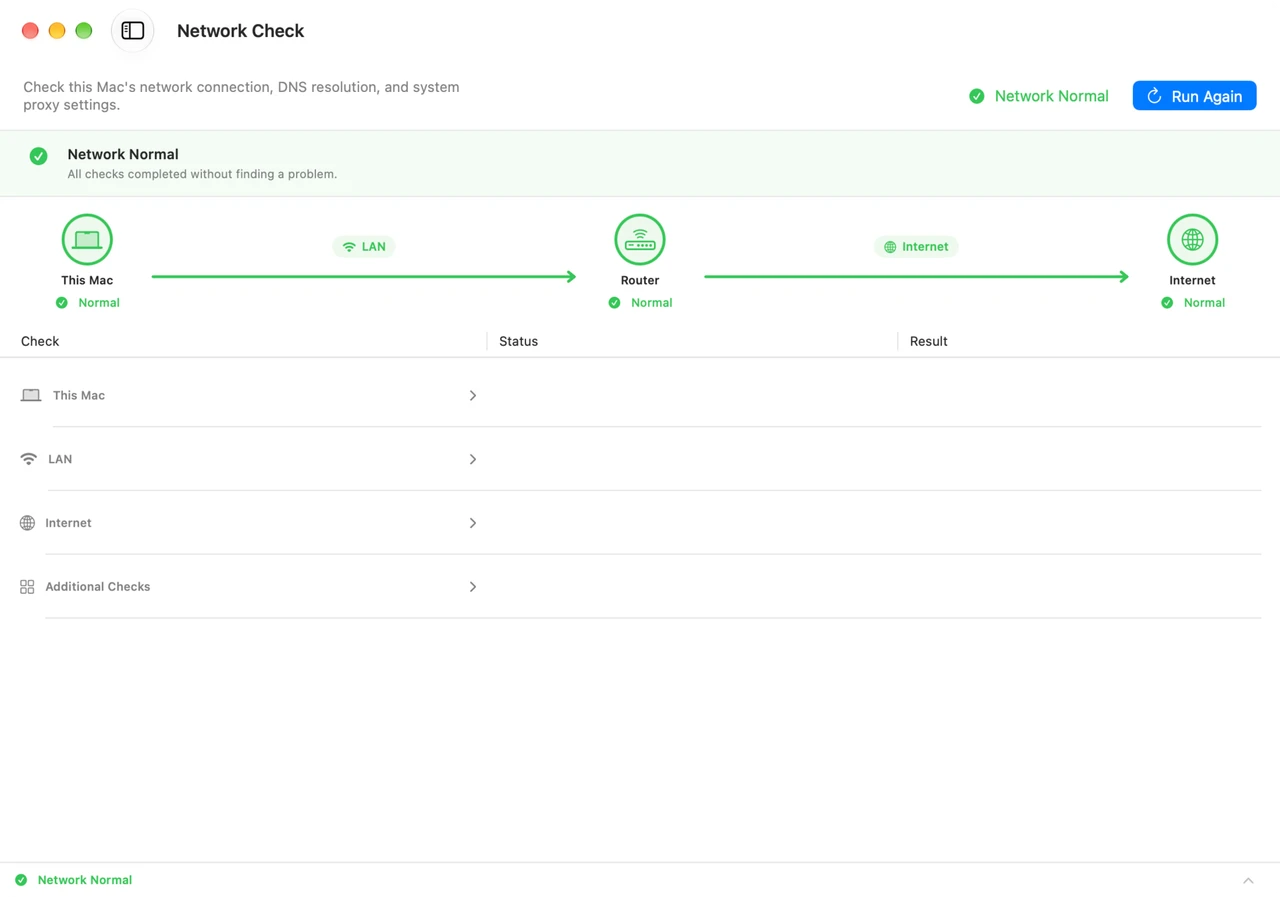
Network Self-Check

Run on-demand diagnostics across three stages — This Mac, LAN, and Internet — with a more reliable choice of the current interface, route, and gateway. WiFi Lens 2.0 handles VPN/TUN, proxy/PAC, DNS uncertainty, HTTPS checks, and route changes more conservatively so older results do not replace newer network state.

  • Checks the current interface, route, and gateway
  • Handles VPN/TUN, proxy/PAC, DNS uncertainty, HTTPS, and route changes
  • Separates clear failures, uncertainty, and checks that were not tested — local-first
Network Self-Check workspace grouping diagnostics into This Mac, LAN, and Internet stages
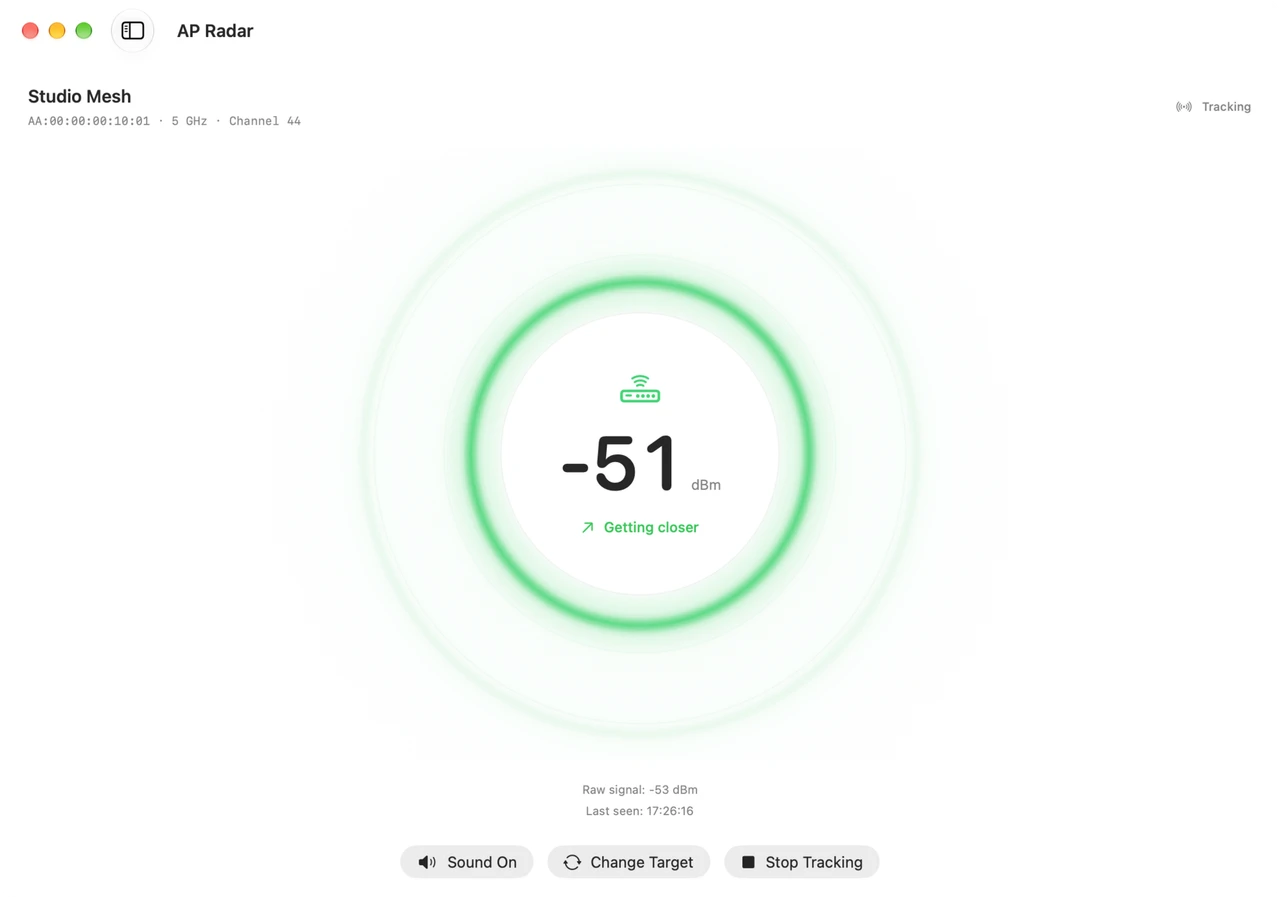
AP Radar tracking an access point signal while moving

AP Radar

Select an access point and track its received signal strength as you move. See when the signal strengthens, weakens, stays stable, or drops out. Optional pulse audio follows signal strength, with RSSI-based guidance for your movement.

  • Track one access point as you move
  • See stronger, weaker, stable, or signal-lost states
  • Optional pulse audio follows signal strength
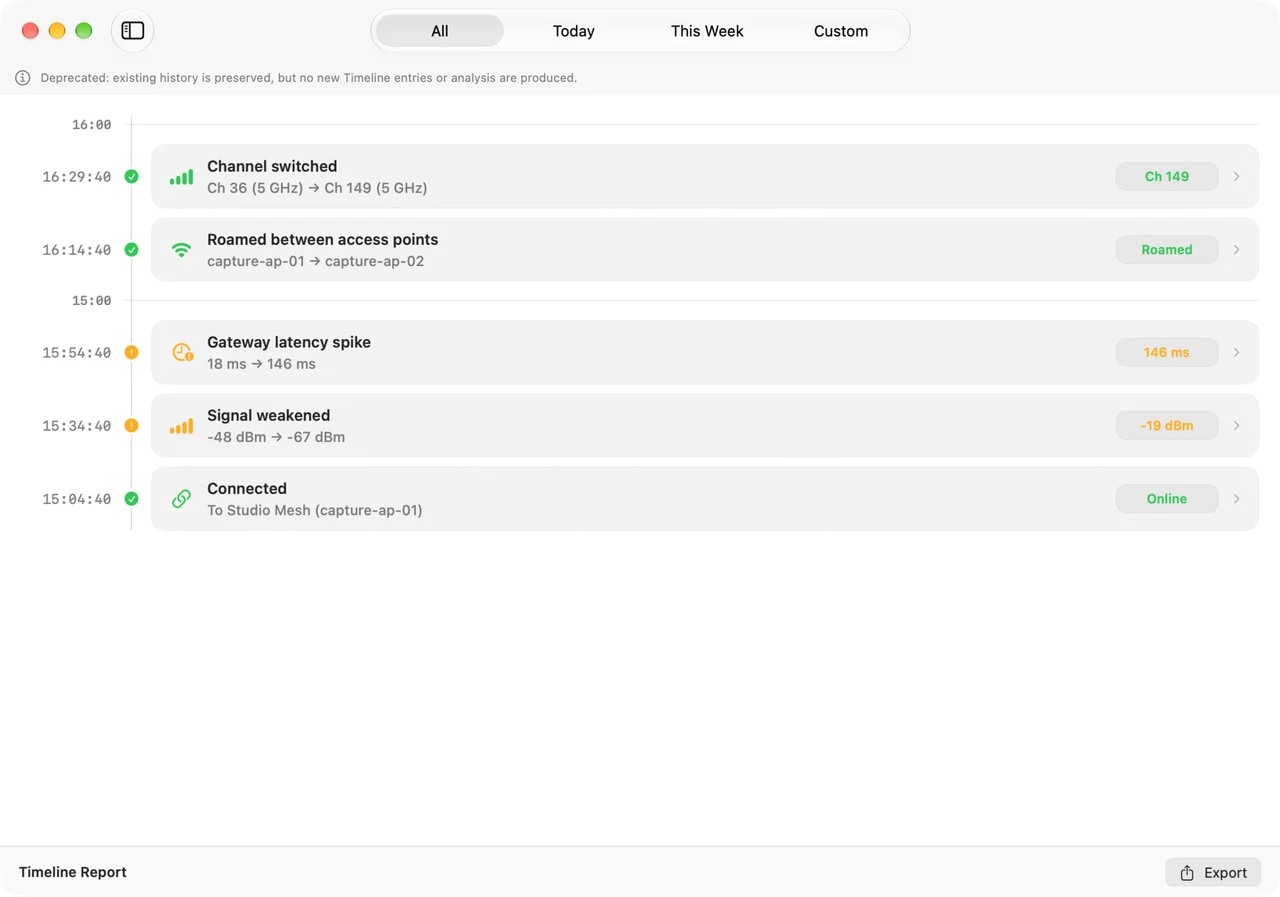
Deprecated, read-only Timeline view showing previously recorded Wi-Fi events, signal changes, and network transitions

Timeline

Pro

Timeline is deprecated and read-only. Open it to review previously recorded Wi-Fi events, signal changes, and network transitions.

  • Deprecated, read-only history
  • Review previously recorded Wi-Fi events
  • No new events are recorded
WiFi Lens Pro

Get WiFi Lens Pro

A native Mac app for reviewing observed network reliability, comparing gateway latency with a historical reference, and investigating saved problems.