Map coverage while walking
Best when you want to move through a room, home, office, or warehouse and turn signal samples into a spatial coverage map.
- AR walking heatmaps
- Floor-plan survey workflow
- PDF, PNG, and CSV survey exports
This page refers specifically to NetLens: Wifi Heatmap Survey by DopamineFixx, the Android Wi-Fi survey app at netlens.fyi. Other unrelated products also use the NetLens name on Apple platforms. WiFi Lens takes a different approach: it turns your Mac into a native Wi-Fi analysis and diagnostics workstation.

The specific NetLens: Wifi Heatmap Survey compared on this page lists Android 13+ as its platform as of August 2026. Other apps named NetLens do exist on Apple platforms. If your goal is Wi-Fi analysis and troubleshooting from a Mac, WiFi Lens is built natively for macOS 14+.
Both tools make Wi-Fi easier to see, but they are optimized for different jobs.
Best when you want to move through a room, home, office, or warehouse and turn signal samples into a spatial coverage map.
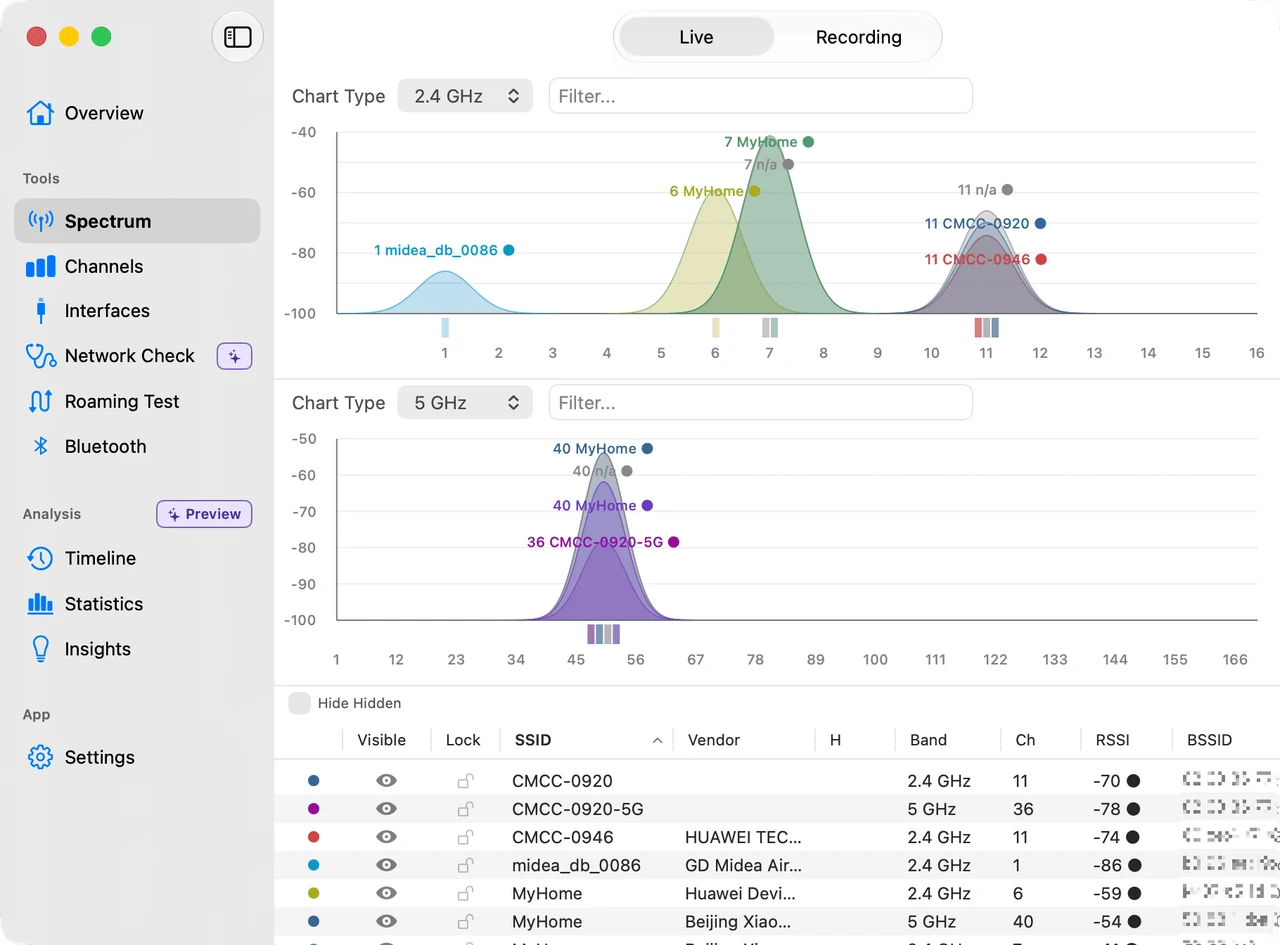
Best when you want to understand channel congestion, connection health, network failures, or roaming behavior from the Mac you are actually using.
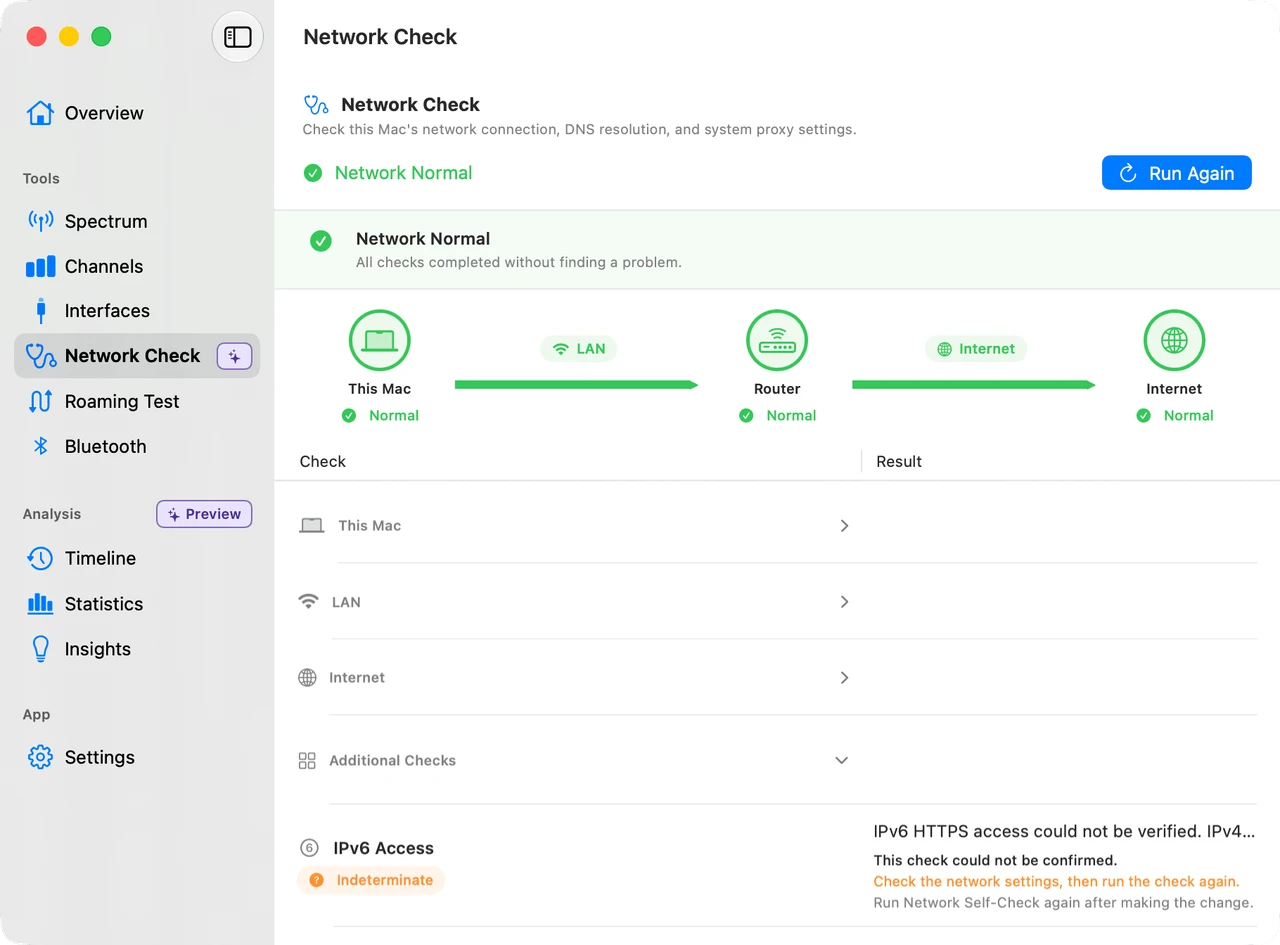
Start with the connection you are using, inspect nearby networks and channel pressure, then run staged diagnostics when the problem is not purely wireless. WiFi Lens keeps those views in one native macOS app instead of treating Wi-Fi as a single signal-strength number.

This comparison is specifically about NetLens: Wifi Heatmap Survey by DopamineFixx. It is not a comparison with every product that happens to use the NetLens name.
| Need | NetLens: Wifi Heatmap Survey | WiFi Lens |
|---|---|---|
| Platform | Android 13+ | macOS 14+ |
| Primary workflow | Walk-and-map coverage survey | Desktop Wi-Fi analysis and diagnostics |
| AR / floor-plan heatmaps | Yes | Not the focus |
| Channel visibility | Channel graph and AP browser | Tri-band spectrum, channel scoring, and recommendations |
| Network troubleshooting | Connection and live network tools | Connection dashboard plus staged local/LAN/Internet self-checks |
| Roaming analysis | Signal meter while moving | Dedicated roaming tests with saved sessions and history |
| Local-first use | Survey data stored on device | No account, cloud sync, analytics, or telemetry |
Which NetLens? This page refers only to NetLens: Wifi Heatmap Survey by DopamineFixx at netlens.fyi / Google Play. Its official site lists Android 13+ as of August 2026. Other unrelated products use the NetLens name, including apps available on Apple platforms. NetLens: Wifi Heatmap Survey is independent and is not affiliated with WiFi Lens or Shiina Labs. Product capabilities can change.
If the question is “where exactly is coverage weak in this building?”, a phone-based survey and floor-plan workflow is the more natural tool.
If the question is “why is this connection slow, crowded, unstable, or roaming badly?”, WiFi Lens gives you the desktop diagnostics to investigate it directly.
Download for macOSInspect the air, diagnose the connection, and verify what changes when you move.