- Is WiFi Lens a replacement for WiFi Explorer?
- Not feature-for-feature. WiFi Explorer is a mature Mac Wi-Fi discovery and troubleshooting tool with a strong focus on nearby network configuration and capability information. WiFi Lens combines Wi-Fi analysis with Mac, LAN, DNS, proxy/VPN, Internet, roaming, and historical diagnostics.
- Is there a free WiFi Explorer alternative for Mac?
- WiFi Lens has an open-source edition available on GitHub, as well as WiFi Lens Pro on the Mac App Store. It is a different workflow from WiFi Explorer and does not claim to reproduce every feature.
- Is there an open-source WiFi Explorer alternative?
- WiFi Lens OSS is an open-source macOS Wi-Fi analysis and diagnostics edition. It covers spectrum visibility, channel analysis, connection checks, and local troubleshooting; WiFi Explorer remains a separate proprietary product.
- Does WiFi Lens scan nearby Wi-Fi networks?
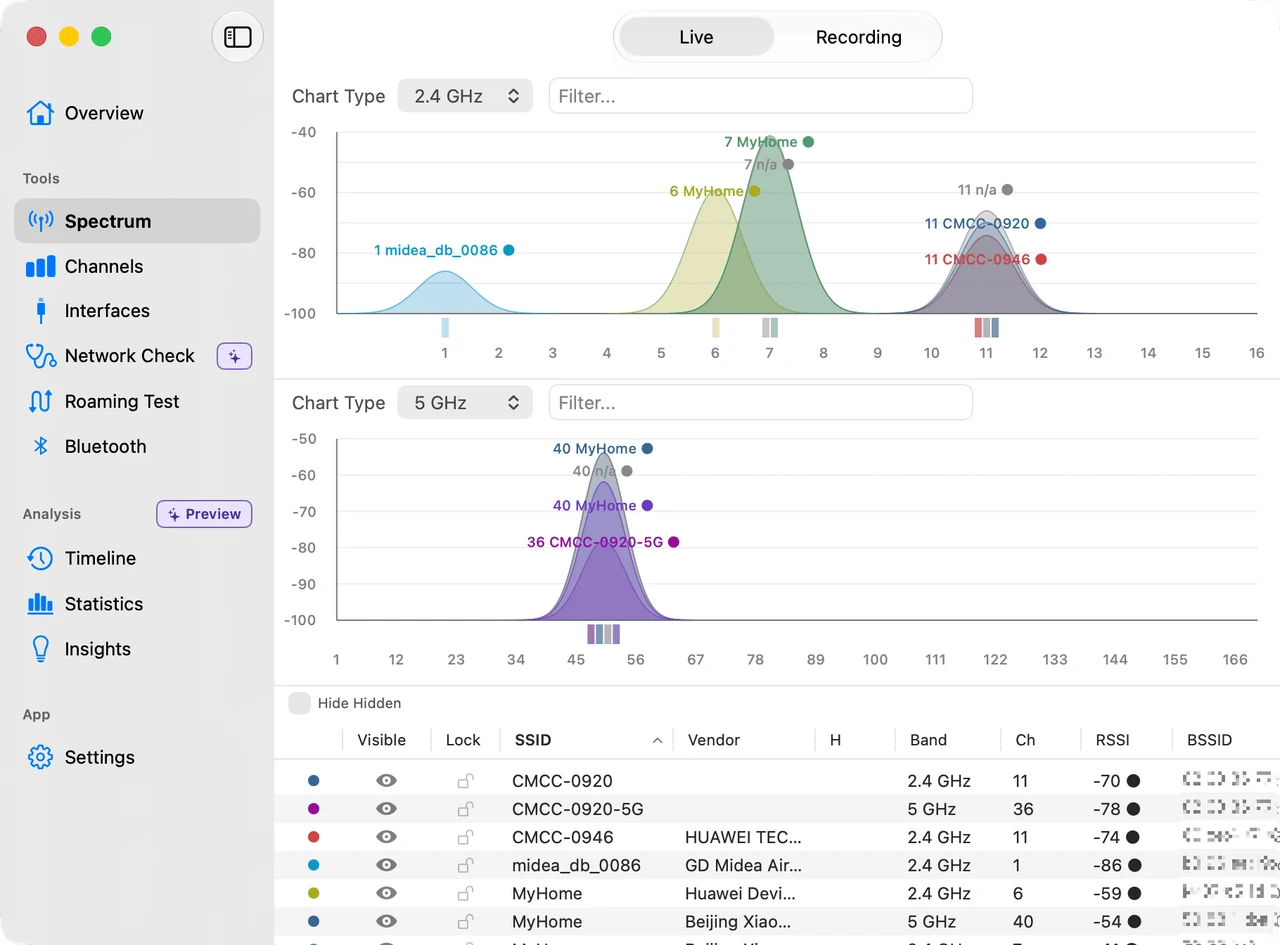
- Yes. WiFi Lens shows nearby Wi-Fi networks across the 2.4, 5, and 6 GHz bands, with channel congestion, scoring, and recommendations as part of its Mac analysis workflow.
- Which is better for troubleshooting a Mac Wi-Fi connection?
- Choose WiFi Explorer when detailed nearby-network capability inspection is your priority. Choose WiFi Lens when you also need connection self-checks, LAN/DNS/proxy/VPN/Internet diagnostics, roaming tests, and historical investigation on the Mac.